In this article:
Viewing all contacts of a group
To view all the contacts in a group, go to:
- Groups menu:
- Click on the Groups link in the menu.
- Click directly on the group name to see the list of all its contacts.
- Contacts menu > Subscribed tab:
- Click on the Contacts link in the menu.
- Click the "Advanced search" link next to the search field.

- Click the drop-down of search criteria. Choose "Group".
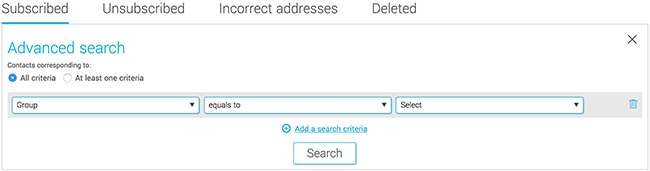
- Leave "equals to" in the second field.
- In the third field, open the drop-down list to choose the group.
- Click "Search". The list of contacts of the group will appear under the search result.
Selecting all the contacts in a group
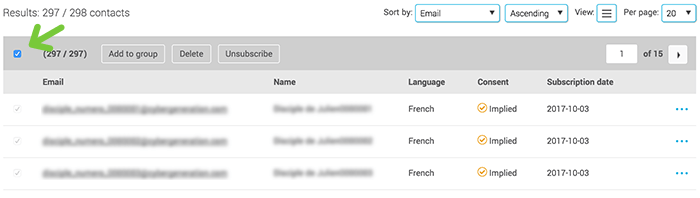
You can select all the contacts in a group by checking the box on the left-hand side above the list of contacts. The total number of selected contacts will show up at the top of the menu. Important: all contacts in this results set will be selected, not only those on the active page.